Block distracting apps during focus hours, evenings, classes, or weekend detox windows.
Screen Time, without the guilt loop
Block apps when focus matters.
Focus Blocks keeps selected apps out of reach during the schedules you choose. iPhone and iPad also support daily limits, websites, and stricter Lock-in windows.
No account
No ads
No analytics
iOS 18+
Android 7+
Why it exists
A blocker for people who already know what pulls them in.
Focus Blocks is not a streak app, a social layer, or a lecture. It is a small commitment tool: pick the distractions, pick the rule, and let your device keep them out of reach.
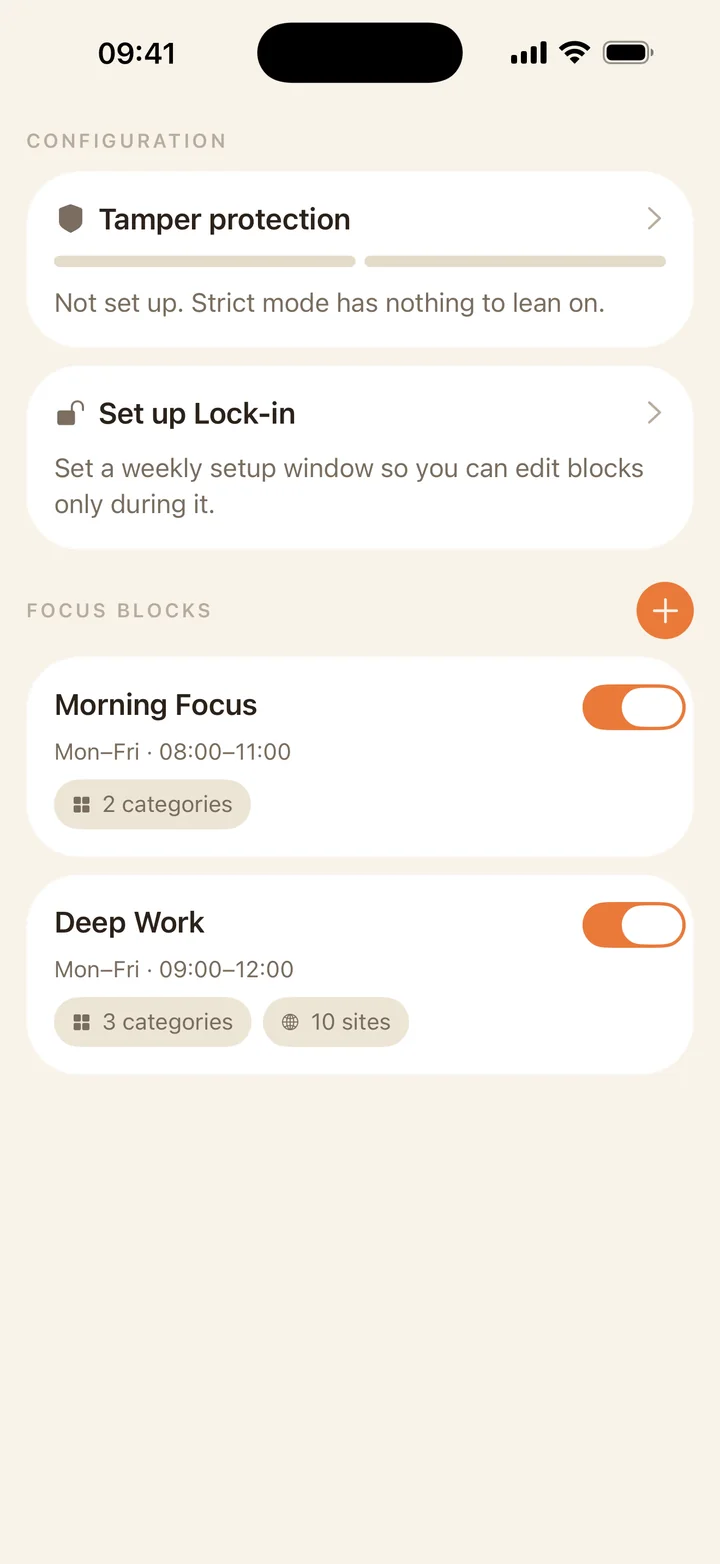
On iPhone and iPad, allow a small amount of time, then block selected apps once the minutes are gone.
On iPhone and iPad, add a setup window so future-you cannot casually undo a rule during a weak moment.
How it works
Choose the apps. Choose the rule. Let the system enforce it.
1
Pick the distractions.
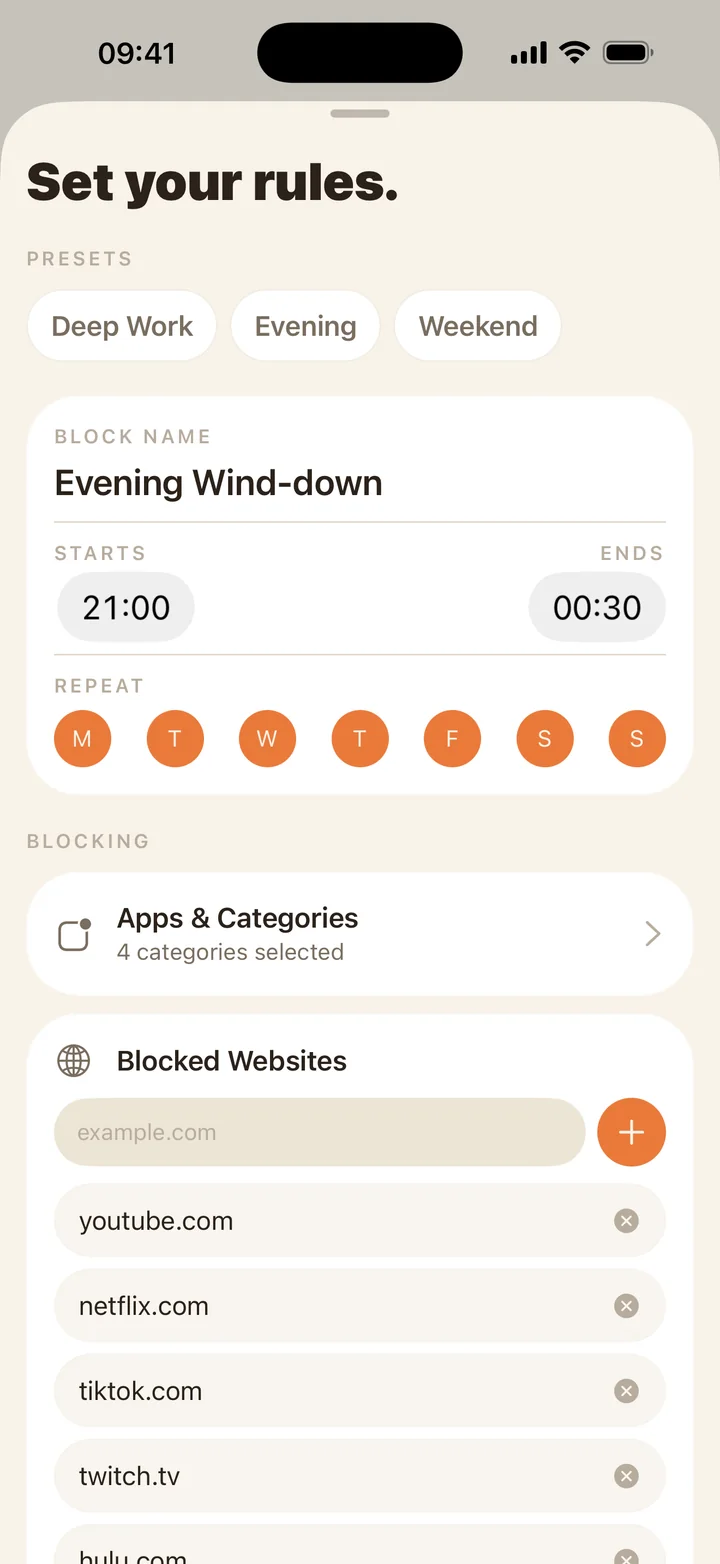
Choose installed apps on either platform. iPhone and iPad can also select sites and app categories.
2
Set the rule.
Schedules work across platforms. Daily budgets and combined rules are available on iPhone and iPad.
3
Stay with the decision.
Apple devices apply system shields; Android returns blocked apps to a dedicated Focus Blocks screen.
Private by default
No account. No tracking. No backend.
Android rules and app selections stay on your device. On iPhone and iPad, rules can sync through your own iCloud account while private Screen Time selections remain device-local.
Built for real use
Flexible enough for different kinds of distraction.
On iPhone and iPad, use a daily app budget for apps that are useful in small doses but costly when they run long.
Set a weekday schedule so the apps are available later, without needing manual toggles.
Use the setup check to confirm permission, local app selection, enabled rules, and whether a block applies now.
Use cases
Set rules for the distractions people actually search for.
Download
Choose the build for your device.
Both versions are free, require no account, and keep blocking data under your control.
Install the App Store version for schedules, daily budgets, websites, categories, iCloud rule sync, and Lock-in.
The Google Play listing is not available yet. Because Focus Blocks uses Accessibility for app blocking, Play Protect may block browser-downloaded APKs before installation in selected regions. Do not disable Play Protect. The signed APK remains available as a test build for devices that permit it; Android 13+ may then require Allow restricted settings.
Questions
What people usually ask before installing.
Is Focus Blocks parental control?
No. It is self-directed and designed for your own devices. It does not manage other people's devices.
Does it read which apps I use?
No. Apple devices use private Screen Time selections. On Android, the Accessibility service compares only the foreground app identifier with your local rules. Focus Blocks does not run analytics or send usage data to a server.
Why does each Apple device ask me to confirm apps?
Screen Time selections are private device-local tokens. Rules can sync through iCloud, but app selections must be confirmed on each iPhone or iPad.
What version of iOS do I need?
Focus Blocks requires iOS 18 or later.
Why can Play Protect block the Android APK?
In selected regions, Google automatically blocks internet-sideloaded apps that request sensitive capabilities such as Accessibility. This happens before Focus Blocks runs and is separate from Android's later Allow restricted settings step. Do not disable Play Protect. See the Android installation notes for current status.
Need setup help?
Use Focus Blocks support for Screen Time or Android Accessibility access, schedules, daily budgets, per-device app selections, APK installation, and troubleshooting.